When an employee makes a request for time off via BambooHR the approval will go to their supervisor for review and approval. This article details how that request can be handled.
The Request
The employee will specify what days they wish to take off and the type of time off they would like to use (vacation, sick time, banked, etc.). They are shown how many days off they have available at the time.
The employee can also include a comment to the supervisor if they wish to provide context or other information.
After the request has been made the employee can change or cancel if required.
The Approval
Once the employee has submitted the request their assigned supervisor will receive a notification via email (or mobile app) with the details. The request will also be visible in Bamboo under the "What's Happening" section on the home page or in the supervisor's Bamboo inbox (icon in the top right of the screen).
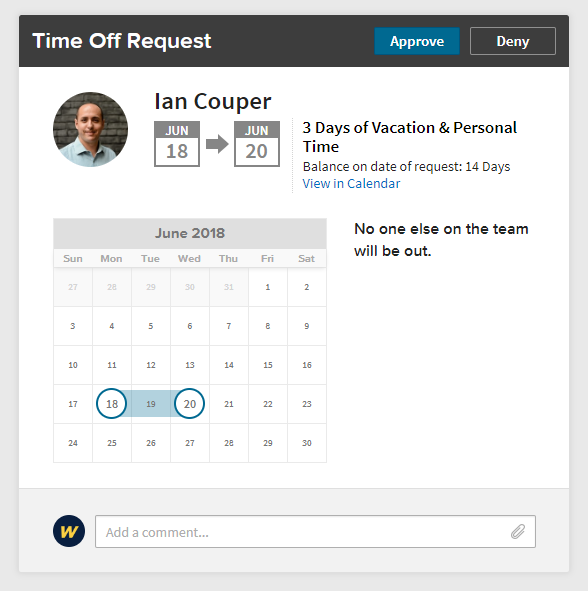
The request details (above) also includes any other employees under the supervisor who have time off booked at the same time.
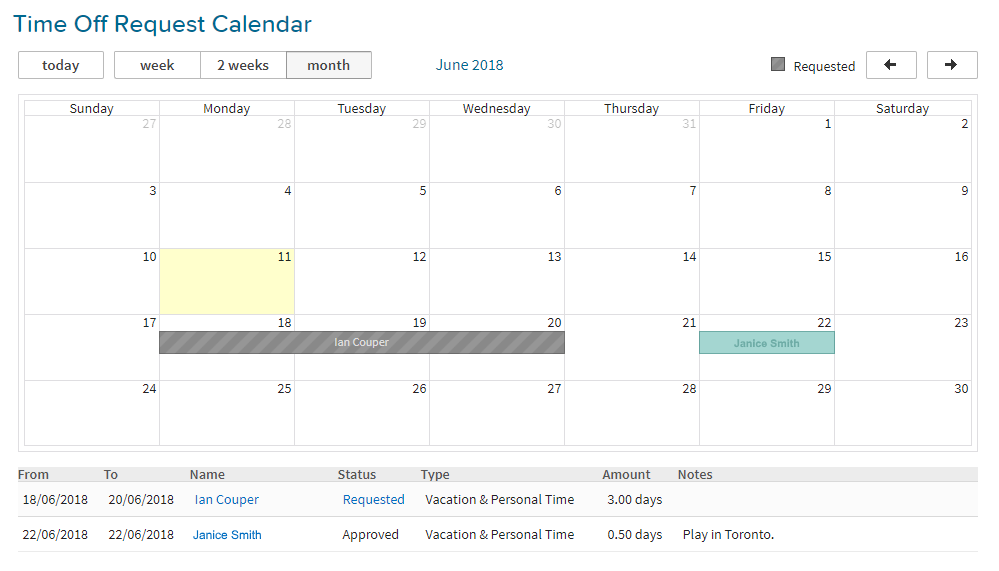
From the same screen there is a link ("View in Calendar" in the screenshot above) to see a calendar of time booked off for further context.
Before approving/denying the request the supervisor can add comments. Comments can be used to clarify why a decision was made (e.g. adding a comment indicating that the request was denied because others are away at the same time) or to gather further information before making a decision (e.g. checking if the employee has transferred critical tasks to others during that time). When comments are added by the supervisor or employee the other is notified so they can review/respond.
Once the decision is made the employee will receive a notification of the decision. If approved the time off will be deducted automatically from the employee's balance once the date has passed.