Training Purchases
Training purchases are prompted by alerts to the Training Coordinator from Bamboo. Once alerted, purchase the course and assign it to the employee per the instructions below.
- Go to the online catalog: https://www.bistrainer.com/store/workforcewins-ltd-store/home.
- Find the course.
- Click add to cart.
- Login with your Userid and password.
- Click View Cart.
- Enter payment method info
- Directly register them so that they receive an email and link to their next steps (rather than having them register themselves.)
For an overview of the varied ways to administer a course purchase, please watch this video: https://www.youtube.com/watch?v=wfJ6Bi6r0p4&feature=emb_logo.
Recording Training Completions
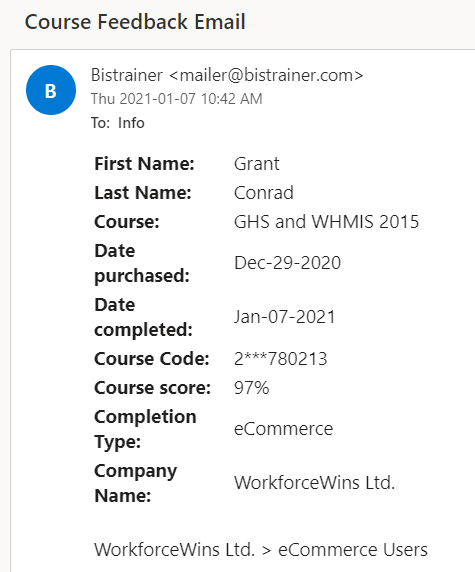
As the purchaser of the course, the Training Coordinator is receives an email with a summary of each course completion. Follow the instructions below to document the course completion in Bamboo.
- Go to Bamboo > People > [Employee] > Training
- Click on the training that was completed in the Upcoming Training section.
- Click complete and then fill in the details as requested.
- Upload a screenshot of the text of the confirmation email received from the training system.
Here is a link to a Bamboo help article on adding administering training completions in Bamboo: https://help.bamboohr.com/hc/en-us/articles/216832967-Record-a-Training-for-an-Employee?_ga=2.250371776.797796055.1610063954-644069728.1606683544