If you see that your vacation balance is low (after adjusting for time already taken), you may soon be reaching an employment anniversary in which your vacation time will increase. Because you are reaching a new vacation time accrual level within the current calendar year, Bamboo prorates your vacation time to either side of your anniversary.
For example:
Company 'A' provides it's employees with two (2) weeks of vacation for the first four (4) years of employment. Once an employee reaches their five (5)-year anniversary with Company 'A', their vacation accrual increases to three (3) weeks.
Joe works for Company 'A' and will reach his five (5)-year anniversary on May 1st. Up until now, his vacation balance at the outset of the calendar year was always ten (10) days. This year however, his vacation balance was prorated to his anniversary date of May 1. For the time between January 1 and April 30, his vacation balance will show 3.33 days.
Once Joe reaches his anniversary on May 1, his vacation accrual is increased to three (3) weeks and is prorated for the time between May 1 and the end of the calendar year. This amount is added to his current balance. The prorated amount to be added is ten (10). Therefore, for the full calendar year his vacation balance is 13.33 days.
How Can I Check my Full Vacation Balance?
When logged into Bamboo, in your 'Time Off' tab, hover over your Vacation Time balance. An icon will pop up that looks like a calculator. Click on this icon.
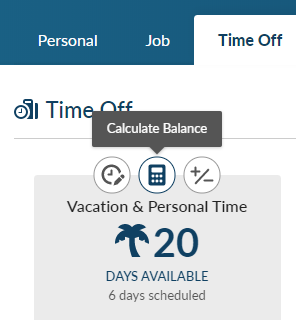
Simply choose a day beyond your anniversary date to see the full balance that is available to you for the full calendar year.