Background
Vacation & Personal Time is managed in two places:
- WhenIWork: Requests and totals taken.
- Bamboo: Total allocation for the calendar year.
Your available VPT is always the annual allotment from Bamboo less the total taken for the year as found in WhenIWork.
How to Request VPT in WhenIWork
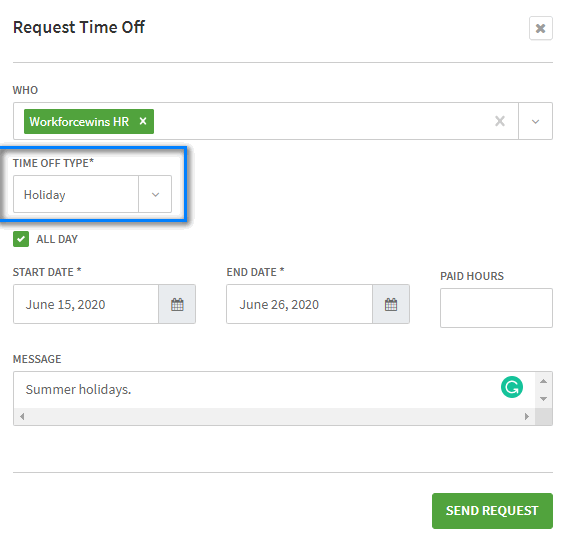
To request VPT in WhenIWork, you must select the 'Holiday' type. Continue to use the 'Unpaid TIme Away type to communicate preferences for scheduling that don't represent time off.
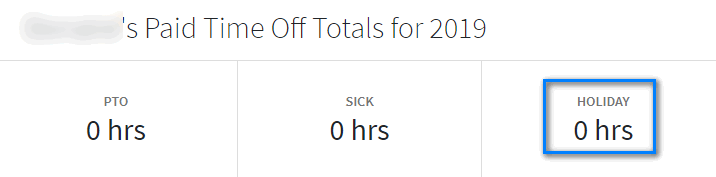
The amount of time you have taken in the calendar year accumulates for you over the year and resets every January 1.
How to Find Your Allotment of VPT in Bamboo
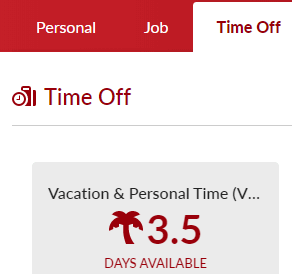
Your allotment of VPT for the calendar year is found in the Time Off tab in your Bamboo profile. It updates every January 1 and automatically adjusts per the company's policies on increases to vacation time.